








5 out of 5


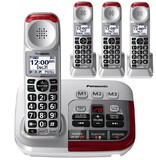
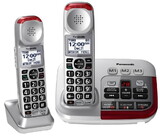
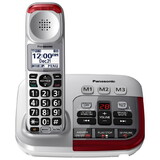
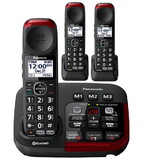
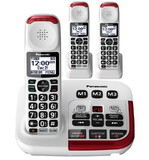
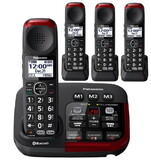
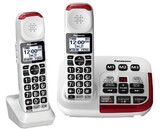
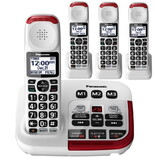
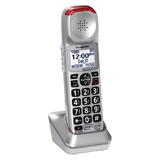
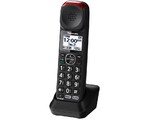
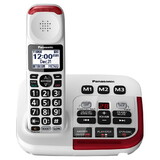
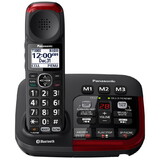
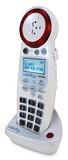
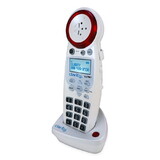
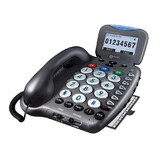
Panasonic KX-TGM450S Amplified Phone with (2) extra handsets
* Click "Add to Cart" to calculate shipping and delivery time.
Product Description
- 50dB extra loud amplification
- 6-level tone control and noise reduction
- Slow-talk control in real time
- Amplified digital answering machine
- 112dB loud ringer with bright red visual ringer
- Amplified speakerphone with tone control
- Up to 3 more expansion handsets can be added.
OVERVIEW
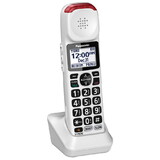
The KXTGM450S is a reliable and easy-to-use phone which improves many of the problem areas that those with hearing loss struggle with. Speech is louder with 50dB amplification, clearer with background noise reduction and tone control. Fast talkers are better understood with slow talk control while conversing in real time or listening to messages on the answering machine. The loud 112dB ringer with its bright red visual will always let you know when someone is calling! The (2) included KXTGMA45S expansion handsets have all the same features of the base phone and come with their own charging dock. Built-in battery back-up-a fully charged handset provides up to 13 hours talk time and 9 days standby. (2) Ni-MH rechargeable batteries AAA (R03) are included with base. With DECT 6.0 technology there is improved range and superior transmission between the base and handsets. You can expand with up to 3 more handsets for convenience in multiple rooms (see Accessories).
Additional Features:
- 3 memory buttons
- Talking caller ID, keypad and phonebook
- Call waiting/Caller ID
- 15 different ringtone options
- 2.5mm headset/neckloop jack
- 100 phonebook entries
- English and Spanish LCD
- Hearing Aid Compatible
Additional Details
| Feature | Details | |
|---|---|---|
| Brand | Panasonic | |
| Warranty | One year warranty | |
| Color | Grey / Silver | |
| Weight (lbs) | 4.42 | |
| Battery operated? | Yes (batteries required) | |
| Batteries included? | Yes | |
| Battery details | (8) AAA NiMH | |
| Corded / Cordless | Cordless | |
| Line-Powered | No | |
| Battery backup | Yes | |
| Expandable | Yes | |
| Bluetooth | No | |
| Degree(s) of Hearing Loss Mild Moderate Severe | Yes Yes Yes | |
| Amplification (dB) | 50 | |
| Boost override | Yes | |
| Captions | No | |
| Tone Control | Yes | |
| Speakerphone | Yes | |
| Answering machine | Yes | |
| Caller ID Screen | Yes | |
| Talking Caller ID | Yes | |
| Talking Buttons | Yes | |
| Photo Buttons | No | |
| Outgoing speech amplification | No | |
| Emergency Dialing | No | |
| Low Mobility | No |
MANUAL
- User Manual - Download
 Attention CA Residents: Prop 65 Warning
WARNING:
This product can expose you to chemicals which are known to the State of California to cause cancer, birth defects, or other reproductive harm. For more information, go to www.p65warnings.ca.gov.
Product Warranty
This item has one year warranty.
Return Policy
Return is subject to a restocking fee of $8 per item. Return could only be applied within 30 days after delivery.
Need more information?
Our staff are available to answer any questions you may have about this item
Our staff are available to answer any questions you may have about this item
Look Similar Items By Category
Customer Reviews
By MICHAEL R CHIN
Date: December 05, 2025
WHEN THE PHONE RINGS U CAN HEAR IT JUST LUV IT GETS TEN STARS FROM ME
Rating:  [5 of 5 Stars!]
[5 of 5 Stars!]
By Gene
Date: November 24, 2025
This is a great phone for the hearing impaired.
Rating: [5 of 5 Stars!]
[5 of 5 Stars!]
By Annabelle
Date: September 21, 2025
The last time I used a Panasonic cordless phone, though it wasn't this model but a different one, was in the summer of 2012, when I was at my American Dad's house. Unfortunately, that was the last time I ever saw him alive, as my ex-stepmother murdered him seven months later in the early morning hours of February 11, 2013. Then decided to cover up her tracks when she spread the rumor that he died of a heart attack! I just purchased this phone on August 1 of this year, as I needed a replacement landline phone, since the previous setup of separate phone and answering machine I had was starting to fail and fall apart. I love the idea that this phone is cordless, as my sighted friend, Markus thought it would be good for me to have a setup where I'm not always tethered to a phone cord. Now it will be easier to have him help with my music machines, as I can take the phone into my recording studio, which is actually in my bedroom. The phone base even takes up less counter space than my previous setup, as it's just slightly larger than my old answering machine. Better yet, I even have the ability to add more phone numbers to the phone! The previous phone I had only let you add 10 phone numbers to the "Memory Dials" 0-9, and 3 to the "One-Touch Emergency Dials" (Fire, Hospital, and Police). The one-touch dials (M1, M2, and M3) are located on the base of this phone (M2 has a raised dot on it), with a few other keys for what I believe is the answering machine. It took me a while to figure out how to add phone numbers to the phone book, as you have to press the left arrow on the square-shaped Navigation key, press "Menu" twice, slowly enter the name, as it takes 5 seconds for a character to appear, then enter the phone number, then press the Right Arrow, which is like the "OK", "Save", and "Select" key three times until you hear a long beep. The keypad even talks to you, which is especially helpful when you're sight challenged. Too bad it doesn't announce the letters you type when entering names. However, one thing I wish they could do is add more talking features to the phone, like audible instructions that can tell you which setting you're pointing to on the screen, especially when adding, deleting, and reviewing phone numbers in the Block List. Better yet, they should make it so the pronunciation can be customized, as I wouldn't want my name mispronounced! Also, the character limit is 16, which is not enough if you have a company name you want to enter (I've had to shorten the names of a couple companies I entered in the phone book). I got the surprise of my life when I pressed what I thought was the "Pause" key below the "Star" key, and it actually turned on the Speakerphone! Whoa, I didn't see that comin'! Even more interesting, the "Talk" key, which turns the phone on, is also the "Flash" key. Another surprise! I even found out there's not a dedicated Redial key, you have to press one of the Arrow keys until you hear the first phone number in the "Caller List" (I think there's up to 5 recently dialed numbers). That's kinda confusing, as I thought "Redial" was supposed to let you dial the most recent number. I especially love the clarity of this phone, as there's no crackling audio like my previous phone. I sure wish they could add more ringtones to this phone, as I'd like to assign ringtones to individual callers instead of just groups of callers. Every time I use this phone to make calls, I always get excited to hear clear audio with no crackles or electrical issues! I'd like to give this phone a solid 5 stars! Or better yet, how about 1,000,000,000,000,000,000,000,000,000,000,000 stars! To paraphrase the words of Louis Armstrong, I say to myself, "What a wonderful phone!".
Rating: [5 of 5 Stars!]
[5 of 5 Stars!]
By suzanne powell
Date: July 30, 2025
Crystal clear on both phone calls and answering machine playback.
Rating: [5 of 5 Stars!]
[5 of 5 Stars!]
By MiR
Date: July 29, 2025
Pros: Loud ringer; loud boost feature; the red parts of phone blink when there is a call or a voice mail message; setup is easy if you are technology inclined; the phone book can save many phone numbers, has speed dial, buttons are big, phone has long battery life. Cons: Speakerphone without boost is not loud like a speakerphone should be; the backlight does not shine through the dial pad adequately; the screen does not lightup, not enough speed dial numbers (only 9 phone numbers can be stored for speed dial). Summary: I bought this for my mom who is visually impaired. Her good vision comes and goes. When her vision is not so good, the dial pad backlight and screen are not bright enough for her. She loves the boost feature, caller id and loud ringer. She wishes there were more than 9 speed dial numbers.
Rating:  [4 of 5 Stars!]
[4 of 5 Stars!]
By sheila bender
Date: May 06, 2025
My mother who is very hard of hearing. loves the phone... She can hear now.. Thank-you so much..
Rating: [5 of 5 Stars!]
[5 of 5 Stars!]