

skip to footer block
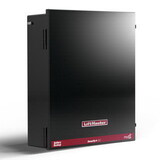
DGS CHAMBERLAIN 828Lm Myq Internet Gateway P15766291DGS-828LM https://cdnimages.opentip.com/full/DGS/DGS-828LM.jpg CHAMBERLAIN 828Lm Myq Internet Gateway Manufacturer Part Number: 828LMThe Internet Gateway adds smartphone control to myQ® enabled products including garage door openers, commercial door operators, gate operators and lighting.*Allows users to check the status or control myQ® products from anywhere incase the garage door, commercial door, or gate are left open. Provides peace of mind to your customers as they will know the main access point to their home or business is secure.Connectivity:Check the status and control the garage door and myQ lights from anywhere. Receive real-time alerts when there is activity with the garage door or myQ lights. Create schedules to close the garage door or to have lights turn on/off at designated times.Use with the myQ app on Android or iOS.Performance:Controls up to 16 myQ enabled devices.Compatibility:LiftMaster myQ enabled garage door openers*LiftMaster myQ enabled commercial door operatorsLiftMaster myQ enabled gate operatorsmyQ Control Panel (889LM) and myQ Remote LED Light (827LM)*This product is not intended for use with any Chamberlain® residential or commercial garage door openers; manufactured from 2010 to 2021 that feature a yellow learn button, or (2) photoelectric sensors located near the bottom of the garage door that change power mode (e.g., lights on the sensors turn off after the door is closed).SpecificationsVendor Item No.828LMVendor No.CHAMBERLAIN PROFESSIONAL PRODUCTS 15766291 4.0000lbs 0.00 0.00 0.00
CHAMBERLAIN
65.2080 2027-01-06 In Stock
customer review - by , December 12, 2025
5/ 5stars
This works great with my Liftmaster driveway gate opener. Easy to install and set up.
customer review - by , September 9, 2025
5/ 5stars
I installed this product for my commercial garage door opener that operates a large overhead door at a remote location. Connected power to the 828LM gateway, connected the ethernet cable to a TP-Link 5-port LAN switch that is fed from the main router, logged in to the MyQ app, pressed the Radio button on the commercial opener. Everything linked up first try. Set push notifications for when the door opened, closed, or stopped. Set another push notification to remind me if the door stayed open more than 10 minutes. Glad to be able to know when that door is accessed, and to be able to remotely provide access to others when needed without providing the digital keypad code.
customer review - by , July 7, 2025
4/ 5stars
Easy to plug into the router. We followed the set up on the MyQ app and it would not pair with our opener. Called customer service and they were able to get everything paired. I needed alerts when the garage door was left open and not closed. Works so far. Just installed today.
customer review - by , March 3, 2025
4/ 5stars
Hi Folks - If you're like me and had the ATamp;T Router BGW320-500 and support mentioned this model is on their unsupported list, I have a solve. All you need is a NETGEAR Ethernet Switch (I bought one at Walmart for $30 - Model GS605NA) and an extra ethernet cord. I plugged the cord into the router and connected the switch. From the switch I plugged in the Internet Bridge. One last item I did was call ATamp;T customer service and asked them to program the router port I was using to only export 2.4Ghz. After that, the lights came on for the bridge and I was in business! Hope this helps you guys get connected.
customer review - by , January 1, 2025
5/ 5stars
i highly recommend the ethernet device. I tried using the wireless smart hub and it was constantly offline and online. Bouncing back and forth and was within 20 feet of wifi router. The ethernet device is online ALWAYS and I can open my garage door anywhere in the world with an internet connection. The wifi device is NOT compatible with Eero wifi routers. This device because it plugs in works flawlessly and the device can be plugged into ethernet router 50 feet from garage door and still works.
customer review - by , November 11, 2024
5/ 5stars
I used this to connect my power gate to wifi. The only downside is that it requires a separate repeater with an ethernet cord. Been in service for four or five months with no issues.
customer review - by , September 9, 2024
5/ 5stars
These work awesome. You can use this with liftmaster's app or other apps like alarm.com with your alarm provider service. You can program up to 16 Wi-Fi capable LiftMaster door openers. I have even programmed one for customers Gates. Just plug it into your router download the app and follow the instructions. Make sure your garage door opener is myQ ready. You'll never leave home again and wonder if you closed the garage door!
customer review - by , September 9, 2024
5/ 5stars
This device was very easy to setup and now I can wirelessly open and close my driveway gate with the app on my phone, from anywhere!
customer review - by , August 8, 2024
4/ 5stars
I have a 2-arm gate at my house that I wanted to add app support to since there have been times I needed top open my gate for others when I wasn't home and I don't have a keypad setup yet. For any LiftMaster products it is EXTREMELY hard to know compatibilities - navigating information online for such devices is like a maze. I did end up getting the devices to work as needed so that's very positive, I almost thought it wouldn't, but figuring it out was a mess of confusion. For anyone who owns gate openers like mine, model LA500PKGUL, which are touted as being compatible with myQ, here is what to expect: The product comes with a small booklet containing a few pages with zero instructions other than to download the app After installing the app, it's not clear what you need to "add". The gate model? The device itself? App says to scan the QR code (presumably the one on the device) but that doesn't work. So staring at the options of how to add the device, I finally stumble on that I need to first plug in and connect the device (828LM) to the Internet and add the device (828LM) from the picture menus on the app and add it by way of serial number. Once you enter the serial number, the app will then give instructions to follow to have your gate opener send the learning signal to the device. Once you get that process going the device will sort of be in "receiving" mode like a form of Bluetooth and you have 30 seconds to do the steps. The steps are at first a little confusing because the order of steps isn't actually accurate. You may have to try 2 different ways (gate in open state first, then close to "learn", or gate closed first then open). In my case, I set the gate to open and then pressed the "learn" button twice then closed the gate. The other confusing part is that you can't use your other clickers to close/open the gate for learning mode, you need to open the gate with one of the open buttons on the gate opener board that has the learn button - in my case there were test buttons with one of them labeled "open" so I used that After going through those steps, the device was successfully connected to my gate and added it to the app for me to be able to open amp; close through the app.
customer review - by , August 8, 2024
5/ 5stars
I needed a way to open my gate opener with my phone instead of only my hand held clicker so I was very excited to get this to work. It was a little slow at first but I tried it again then it worked!

CHAMBERLAIN 828Lm - Myq Internet Gateway, Price/Each

stars Rating 4.5 | 54 reviews
Brand CHAMBERLAIN
Shop more from DGS

SKU: DGS-828LM
Price: $65.21
Quantity:
In Stock
*  Click "Add to Cart" to calculate shipping and delivery time.
Share & Earn 10% Cash Back Best Price in Bulk

You may also like

Product Description

Price is for Each.

Manufacturer Part Number: 828LM

The Internet Gateway adds smartphone control to myQ® enabled products including garage door openers, commercial door operators, gate operators and lighting.*Allows users to check the status or control myQ® products from anywhere incase the garage door, commercial door, or gate are left open. Provides peace of mind to your customers as they will know the main access point to their home or business is secure.

Connectivity:
  • Check the status and control the garage door and myQ lights from anywhere.
  • Receive real-time alerts when there is activity with the garage door or myQ lights.
  • Create schedules to close the garage door or to have lights turn on/off at designated times.
  • Use with the myQ app on Android or iOS.
Performance:
  • Controls up to 16 myQ enabled devices.
Compatibility:
  • LiftMaster myQ enabled garage door openers*
  • LiftMaster myQ enabled commercial door operators
  • LiftMaster myQ enabled gate operators
  • myQ Control Panel (889LM) and myQ Remote LED Light (827LM)
*This product is not intended for use with any Chamberlain® residential or commercial garage door openers; manufactured from 2010 to 2021 that feature a yellow learn button, or (2) photoelectric sensors located near the bottom of the garage door that change power mode (e.g., lights on the sensors turn off after the door is closed).

Specifications

Vendor Item No.
828LM
Vendor No.
CHAMBERLAIN PROFESSIONAL PRODUCTS

warning tips WARNING: This product can expose you to chemicals which are known to the State of California to cause cancer, birth defects, or other reproductive harm. For more information, go to www.p65warnings.ca.gov.

Note

This product is not eligible for coupon code discount, for we've been offering the best price in the market.
Need more information?
Our staff are available to answer any questions you may have about this item


Customer Reviews
By Nadeem
Date: May 10, 2024
My gate is 600 feet away (according to LiftMaster Support chat, that is the limit of the range) and initial setup failed. Luckily, I have a network switch at my gate on a peer to peer network already, so I plugged the gateway in there. Confusing instructions in the MyQ app, but several failed attempts later, installed successfully. The app actually said it failed but it had worked. Installation aside, it works great, though don't expect it to open your gate as quickly as if you're sitting in front of your gate with a clicker. This takes 5-10 seconds for the gate to respond. I'm very thankful I no longer have to give a gate code out to anyone and we can control the gate from our phones. It would have earned another star if the setup and instructions were easier/better. I put the device itself in a metal waterproof box that's no more than 15 feet from my gate control. I was concerned the metal enclosure may block the signal, but no issues with that.
Rating: 5 stars [5 of 5 Stars!]
By Sad but true
Date: May 08, 2024
This was super easy to set up and so I didn't need tech support but i tried to contact myq earlier and so I was glad it worked so well. A couple of missing obvious features - 1 this should be wireless these things are easy and cheap now 2 should be power over internet POE so if it must be hardwired then at least I don't have to put it next to an outlet. But it worked first time and was very easy to set up with more information than an aftermarket solution. I think I like the myq app ads don't bother me that much
Rating: 5 stars [5 of 5 Stars!]
By S Covert
Date: March 24, 2024
My gate is 800 feet or so from my house. Occasionally it will open with this thing, but not reliably. I wish it had better range out of the box. I put the transmitter in a heat lamp dish and it works great now even in bad weather conditions. Try this trick if you are far from your gate.
Rating: 4 stars [4 of 5 Stars!]
By Tony Worthington
Date: March 11, 2024
Worked perfectly.
Rating: 5 stars [5 of 5 Stars!]
By A Customer
Date: February 13, 2024
Plug and play to the router Easy 3 or so steps for the gate to learn. About 15 minutes, tops Does not interfere with existing garage door opener on MYQ.
Rating: 5 stars [5 of 5 Stars!]
By Joseph Massuda
Date: January 29, 2024
My clicker is not very reliable. I purchased this remote. The tech. helped me with the connection. Once it was done, it is a great device to have. Forget the remote. Will never forget the garage door open again.
Rating: 5 stars [5 of 5 Stars!]
Items 13 - 18 of 47 reviews
[Prev]   1  2  3  4  5 ...  [Next]